

The MacBook notch is… controversial.
Some people ignore it.
Some hide it with menu bar tricks.
And some developers decided to make it useful.

That’s exactly what BoringNotch does.
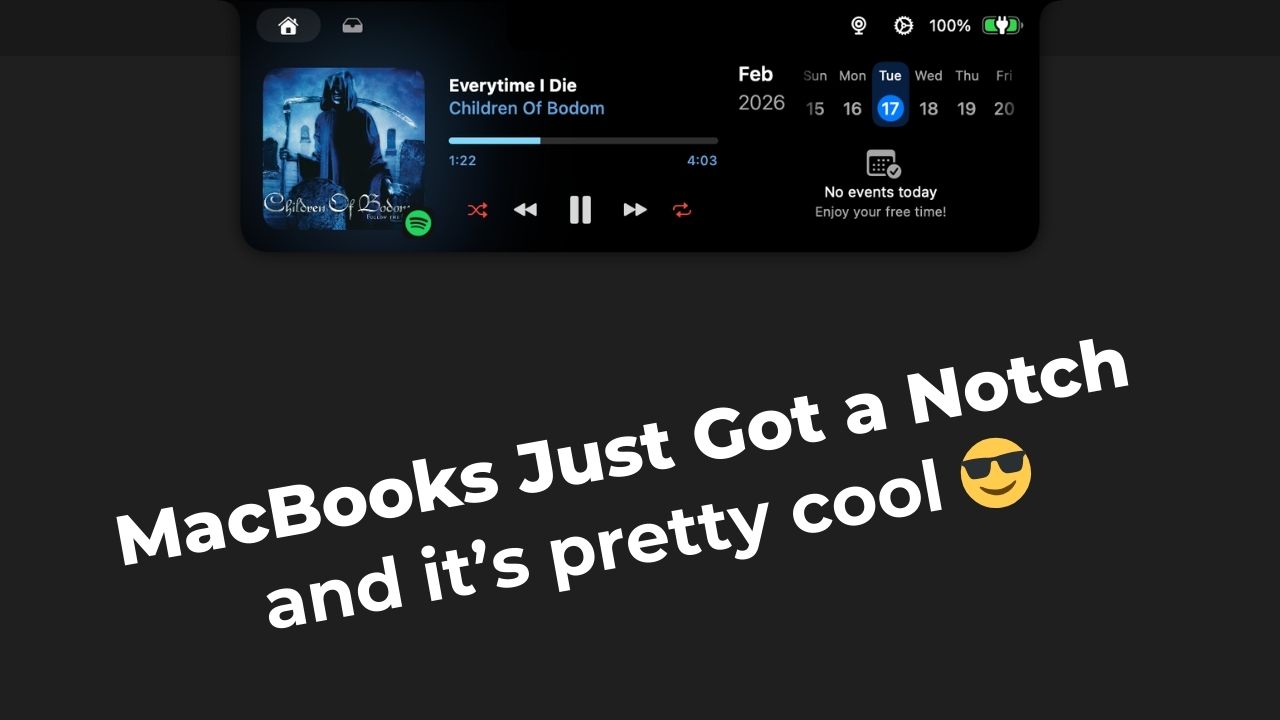
Instead of pretending the notch isn’t there, BoringNotch transforms it into a small interactive hub, giving you quick access to tools and controls right from the top of your screen.
And surprisingly… it feels native to macOS.
What BoringNotch actually does
Once installed, the notch becomes interactive when you hover your cursor over it. From there, you can access things like:
- Media playback controls
- “Mirror” (using the MacBooks camera)
- AirDrop shortcuts
- Calendar access
- Quick file drop/sharing
It’s subtle, but very practical, especially if you like keeping your desktop clean and minimal.
It feels more “Apple” than you’d expect
The animations are smooth. The blur effects match macOS, and the controls expand out of the notch in a way that feels surprisingly natural. If you didn’t know better, you might think this was an experimental Apple feature. It doesn’t try to do too much and that’s why it works.

Is it beginner friendly?
Very. Installation takes less than a minute, the app is completely free, and most features work out of the box. You don’t need to customize anything, but you can if you want to. So whether you’re new to macOS or deep into customization, it fits both workflows.
Should you install it?
If you own a notched MacBook and enjoy small quality-of-life upgrades, BoringNotch is an easy recommendation. It doesn’t reinvent macOS. It just makes use of something that was already there.